
Your A/B Test Is Counting People Who Never Saw It
Most A/B tests have a sample size problem, and it has nothing to do with traffic volume.
It has to do with who you're counting.
The Problem: Bucketing on Page Load
Here's a scenario we run into regularly when building experiments for ecommerce brands.
You're testing a change to the mini-cart experience on a product detail page. New layout, different CTA copy, a Klarna messaging injection. Whatever. You set up the experiment in your optimization platform, target the PDP, allocate traffic, and let it run for three weeks. It hits statistical significance. You call it.
But only about 15% of visitors to that product page ever opened the mini-cart. The other 85% scrolled around, maybe looked at some images, and left. They never saw your test. They never interacted with anything you changed.
Your optimization platform counted every single one of them.
That's how standard A/B testing works. The visitor lands on the page, they get bucketed into a variant immediately, whether they see the change or not, whether they click the thing or not, whether they scroll to the section or not. The experiment is "active" from the moment the page loads.
Your sample size says 50,000 visitors. Your real qualified sample is maybe 7,500. And you just made a shipping decision based on 42,500 people who had no idea the test existed.
The Workaround: Custom Activation Code
For years, the only way to solve this was to write custom JavaScript. Callback activation functions. MutationObservers watching for specific DOM elements to appear. Manual re-injection logic when React or Vue rebuilds the page after a user interaction. Polling loops that check every 50 milliseconds whether a condition has been met, timing out two seconds after DOM ready.
We've built dozens of tests using these patterns for brands running on modern JavaScript frameworks. A mini-cart CTA test required callback activation plus a MutationObserver to detect when the mini-cart opened, then re-inject the variation code after React rebuilt the DOM. A Klarna messaging test needed the same MutationObserver pattern to survive Vue re-renders on cart interactions. Every PDP test on a single-page application required History API interception plus element polling to handle client-side navigation.
Each of these was dozens of lines of code, per test, just to answer a single question: did this person actually see what we changed?
It worked. But it was fragile, expensive to maintain, and the platform's built-in statistics still counted every visitor who landed on the page. If you wanted accurate significance calculations, you had to export the data, filter to qualified visitors, and recalculate externally.
The Fix: Conditional Activation
Did you know that Optimizely's New Visual Editor now includes a feature called Conditional Activation? It's a no-code configuration, built directly into the editor toolbar.
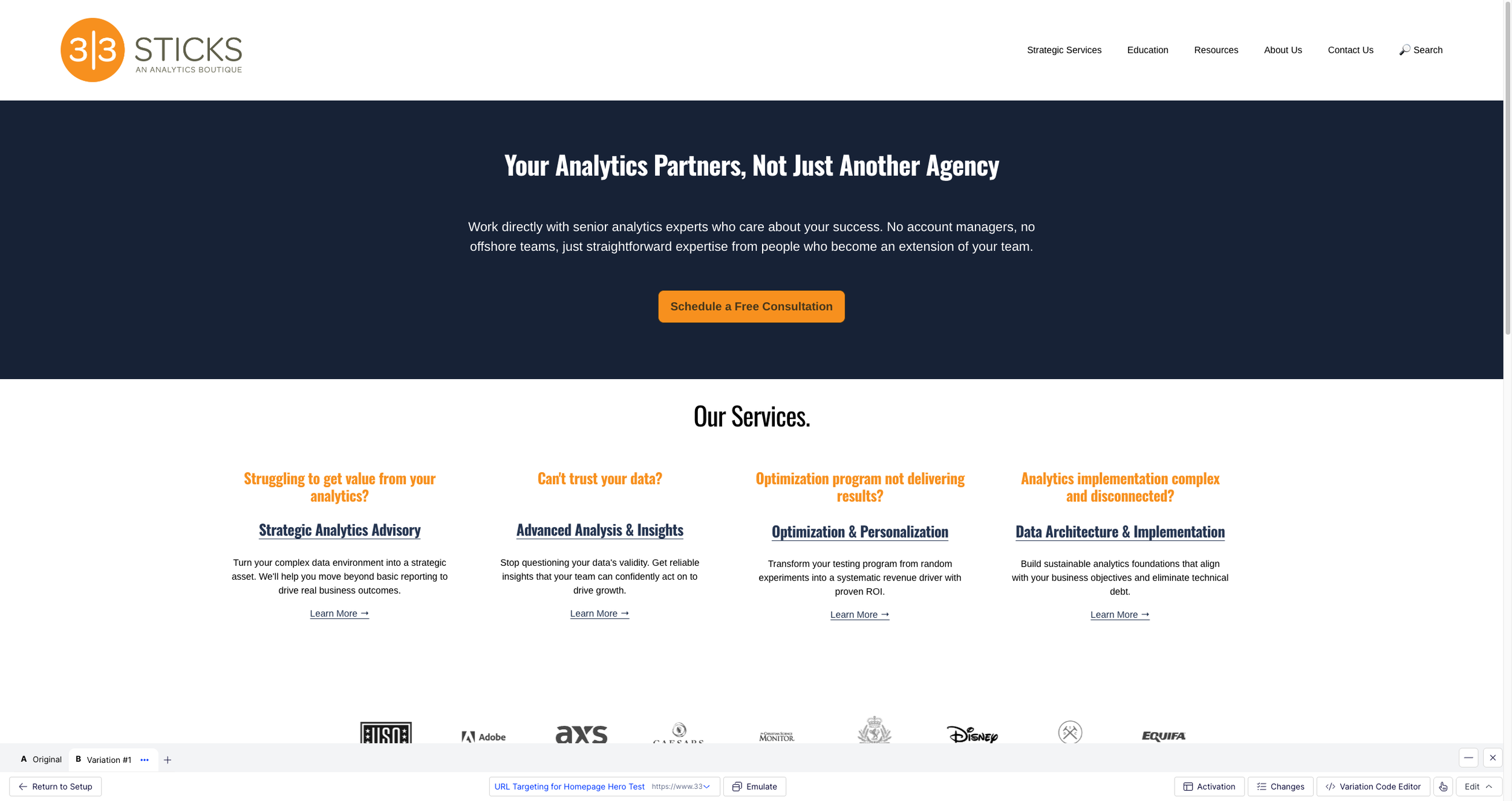
The New Visual Editor loads your target page with a toolbar at the bottom. The "Activation" button opens the Conditional Activation panel.
Click "Activation" and you get a panel with a single dropdown: Select Condition. Six options.
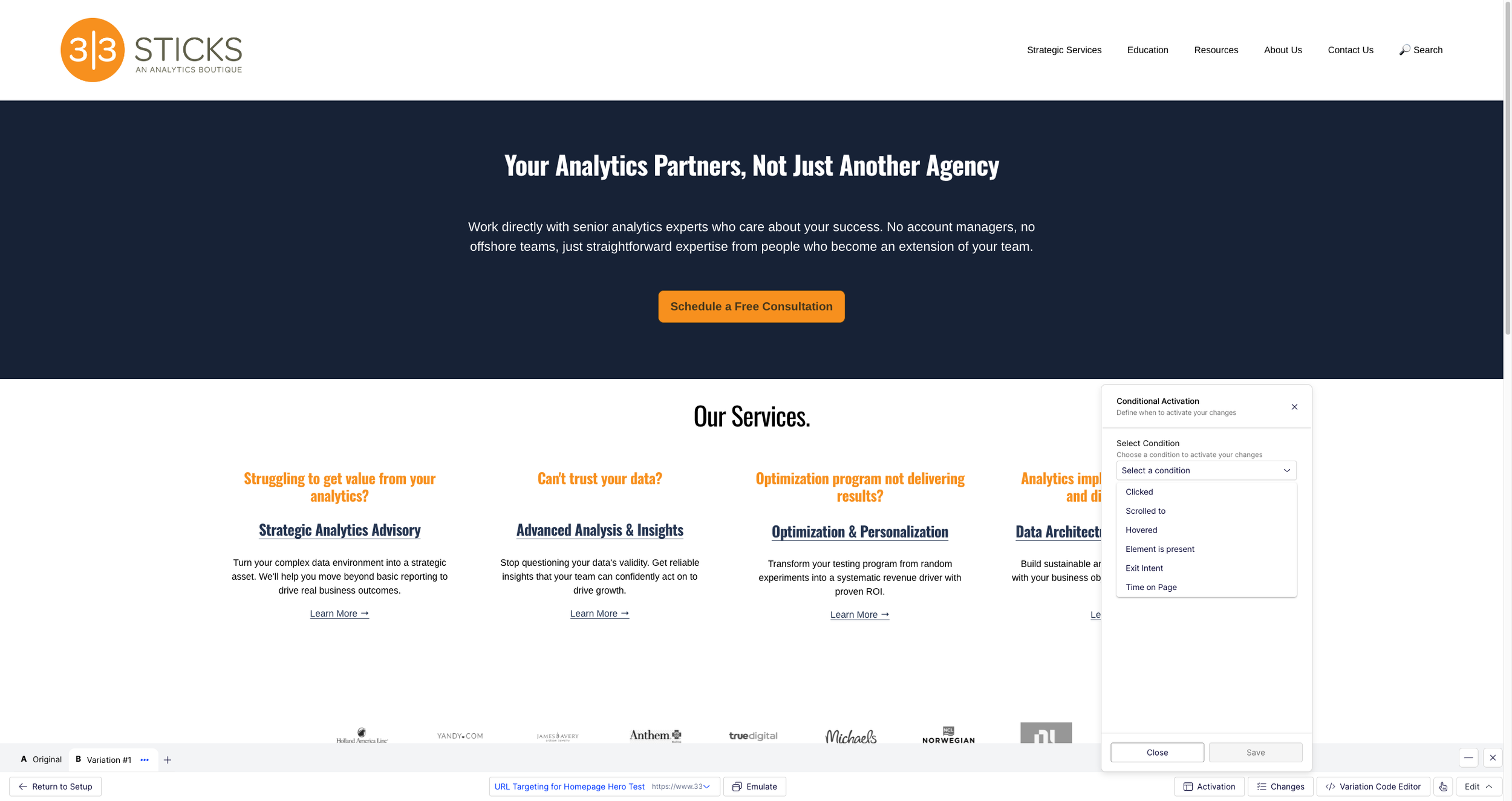
Six trigger types available: Clicked, Scrolled to, Hovered, Element is present, Exit Intent, and Time on Page.
Pick a trigger, specify a selector or time value, and you're done.
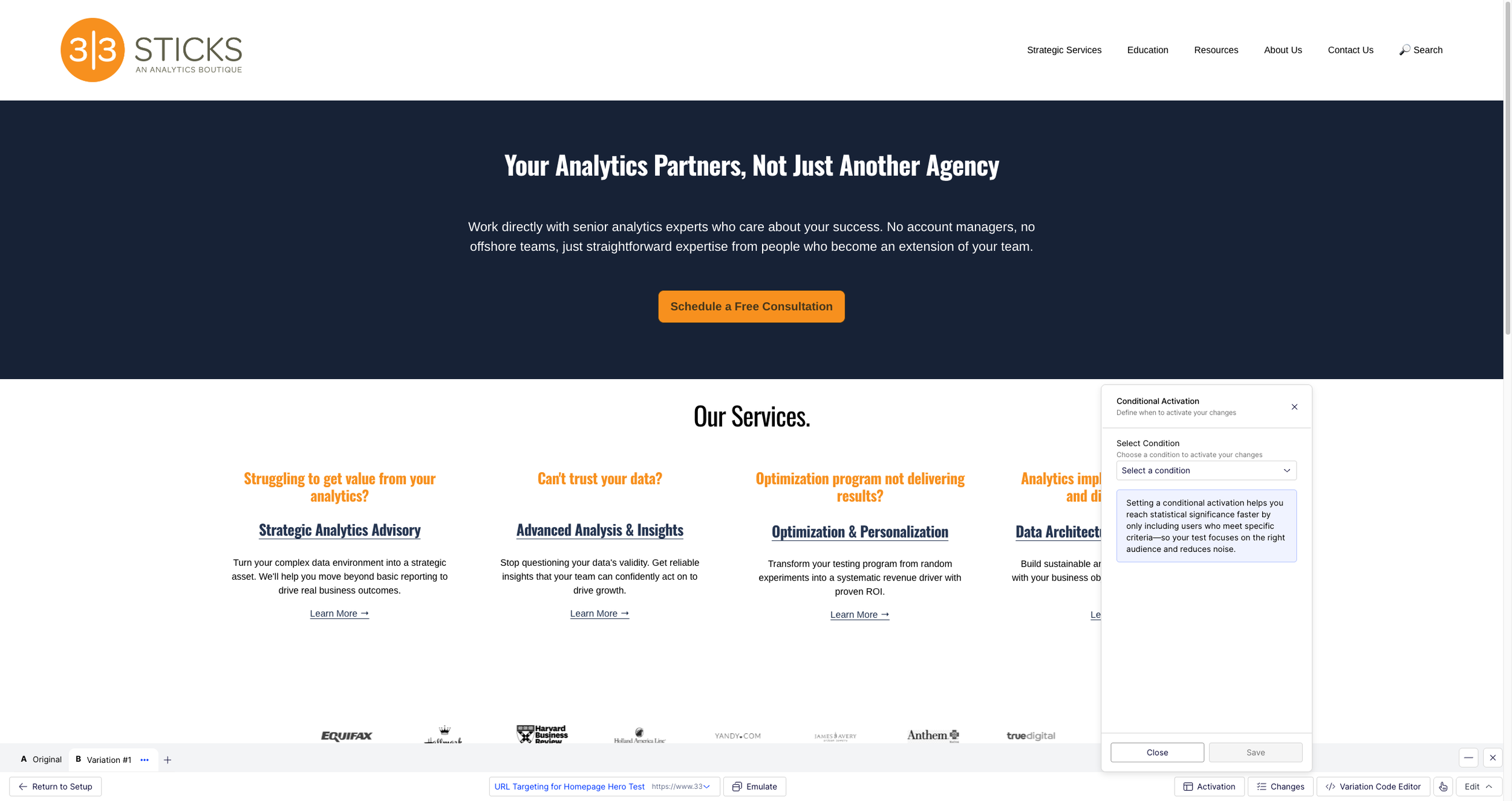
The panel explains the core value: "Setting a conditional activation helps you reach statistical significance faster by only including users who meet specific criteria, so your test focuses on the right audience and reduces noise.”
The critical distinction is what happens under the hood. This isn't a display trigger that hides your variation until the right moment while still counting the visitor. Conditional Activation delays bucketing itself. The entire activation chain (activation, audience evaluation, bucketing, variation application) waits until the trigger fires.
The visitor who lands on the PDP and never opens the mini-cart? They're not in a variant. They're not in the experiment. They don't exist in your results.
Why This Matters More Than It Sounds
The immediate benefit is cleaner data. Your sample size reflects people who actually experienced what you changed. But the downstream effects are bigger than that.
Faster time to significance. When your denominator is honest, you need fewer visitors to reach a statistically significant result. Tests that took four weeks with a diluted sample might reach significance in two with a qualified one. You're not waiting for signal to emerge from noise; the noise was never there.
No more external recalculation. The platform's built-in statistics are accurate because the sample is accurate. You don't need to export data and manually filter to qualified visitors. The results page tells the truth.
Less custom code. The MutationObservers, callback activation functions, and SPA navigation handlers that we used to write for every interaction-dependent test are replaced by a dropdown selection. That means fewer bugs, faster test builds, and less engineering time per experiment.
What This Replaces
Here's a concrete comparison from tests we've built:
| Test Type | Previous Approach | With Conditional Activation |
|---|---|---|
| Mini-cart CTA change | Callback activation + MutationObserver to detect mini-cart open, re-inject on framework rebuild | Click trigger on Add to Cart button. Visual Editor changes apply. |
| Klarna messaging in mini-cart | MutationObserver for Vue re-renders on cart interactions, marker class to prevent double-injection | Element exists trigger on mini-cart panel. No custom code. |
| PDP test on SPA | History API interception + polling for element presence | Element exists or Click trigger. No SPA detection code. |
| Below-the-fold content | Custom scroll listeners + IntersectionObserver (with caveats for Vue's v-if destroying observer references) | Built-in Scrolled to trigger. |
Each row in that table represents hours of development time, testing, and debugging that reduces to a configuration choice.
The Catch
Conditional Activation is set at the page level, not the experiment level. Every experiment that uses a given page definition inherits its activation behavior. If you change the activation trigger on a shared page, every experiment using that page is affected.
The practical implication is never modify activation on a shared page. Create purpose-built pages for different activation patterns ("PDP - ATC Click Activation", "PDP - Scroll Activation") and name them to indicate the trigger type. This is both powerful, because one activation config serves many experiments, and dangerous, because one change can break many experiments.
What We'd Tell a Client
If you're running Optimizely Web Experimentation and you're testing experiences that only a subset of page visitors interact with (mini-carts, below-the-fold content, hover states, exit modals), you should be using Conditional Activation. Not because it's a nice optimization, but because without it your test results include people who never saw what you were testing.
The feature is available now in the New Visual Editor. If you're still writing custom activation code or recalculating significance externally, this replaces both.
jason thompson is the founder and CEO of 33 Sticks, a data strategy and analytics consultancy. He's spent 20+ years helping brands turn digital experiences into measurable outcomes.